0.2

by Brendon Welch

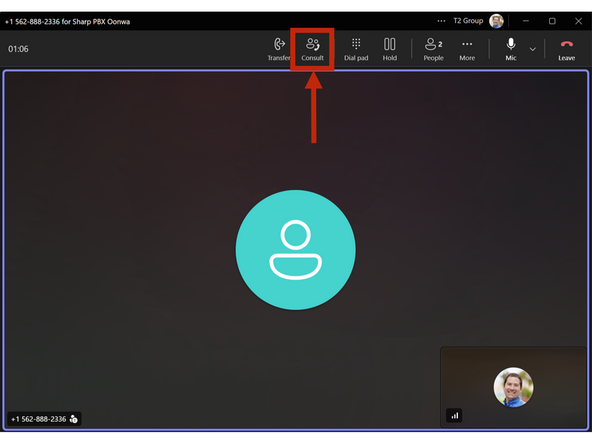
  1. While on a phone call:
    • While on a phone call:

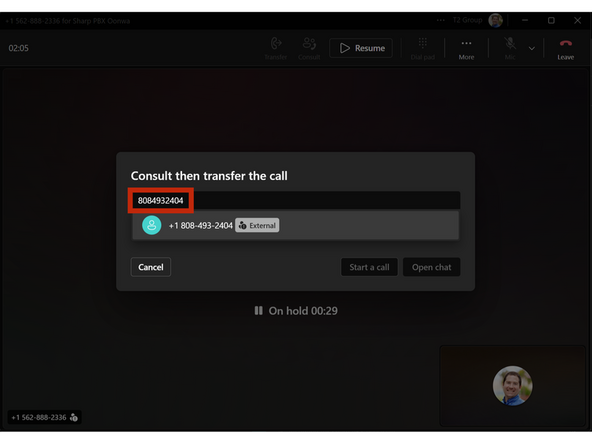
    • Click Consult

  2. Type the Ten digit phone number
    • Type the Ten digit phone number

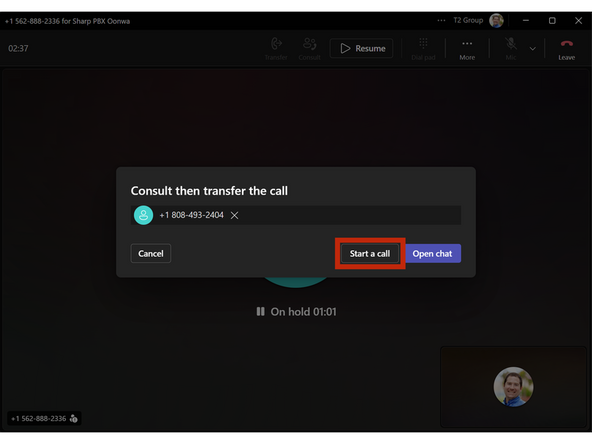
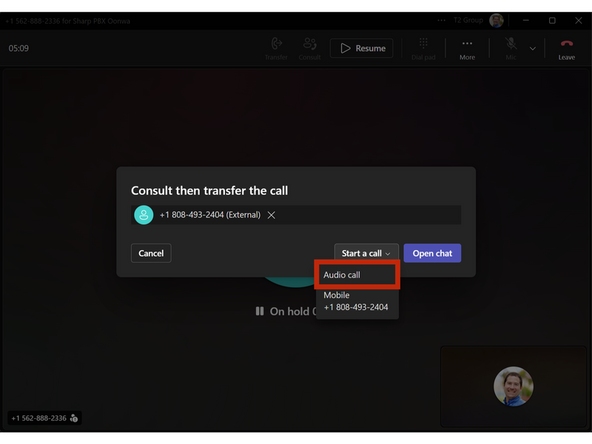
  3. Click Start Call - Audio Call Click Start Call - Audio Call
    • Click Start Call - Audio Call

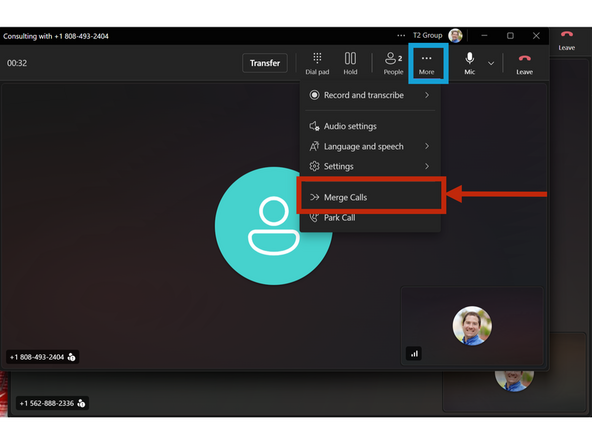
  4. To Merge the calls:
    • To Merge the calls:

    • Click More

    • Click Merge Calls

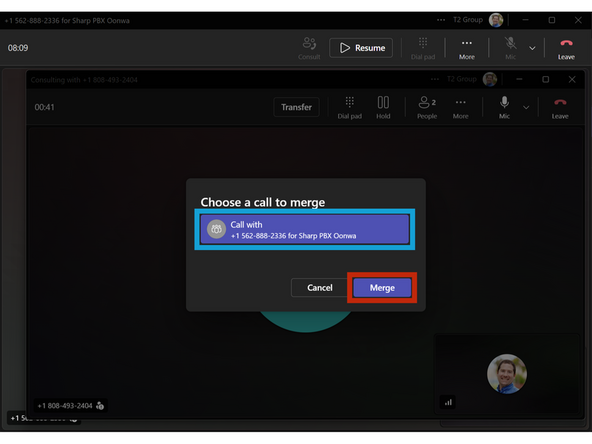
  5. Ensure your Call is selected
    • Ensure your Call is selected

    • Click Merge

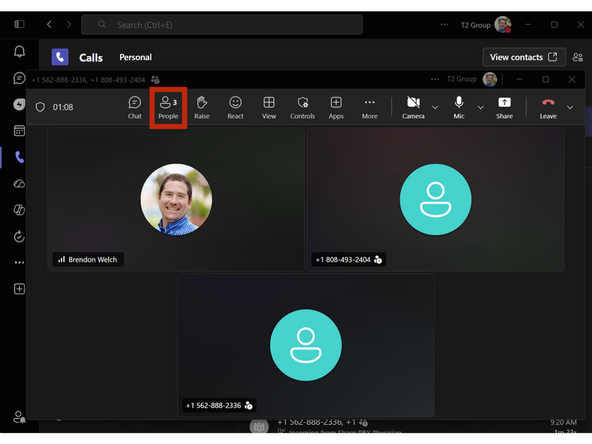
  6. To add another person to the call:
    • To add another person to the call:

    • Click People

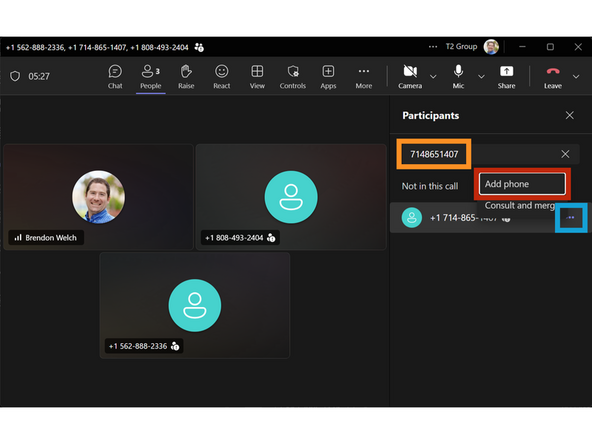
  7. Enter the Ten digit phone number
    • Enter the Ten digit phone number

    • Click the ⋯ Ellipsis

    • Click Add Phone

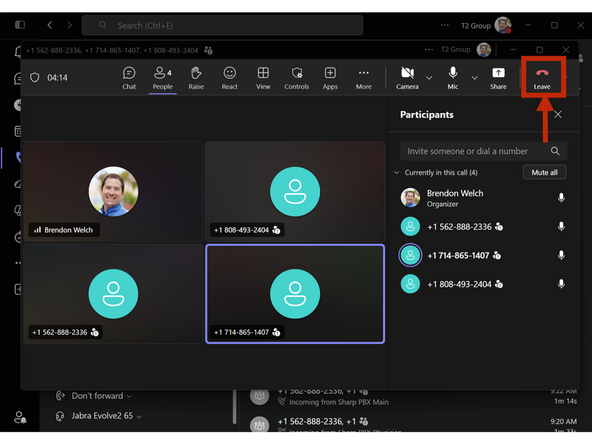
  8. When you are ready to leave the call:
    • When you are ready to leave the call:

    • Click Leave

Finish Line

Brendon Welch

Member since: 3/4/21

21,361 Reputation

300 Guides authored

0 Comments

Add Comment