0.3

by Brendon Welch

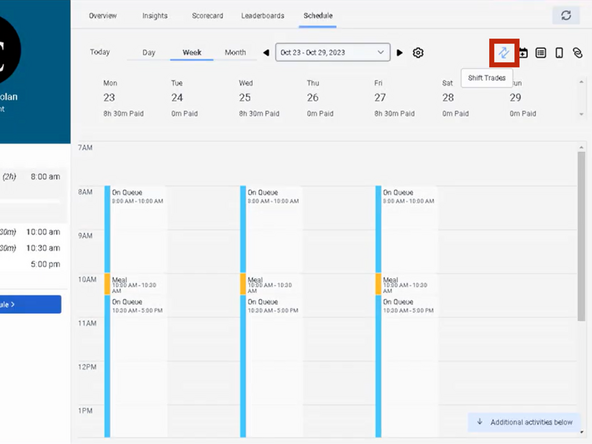
  1. While viewing your Schedule:
    • While viewing your Schedule:

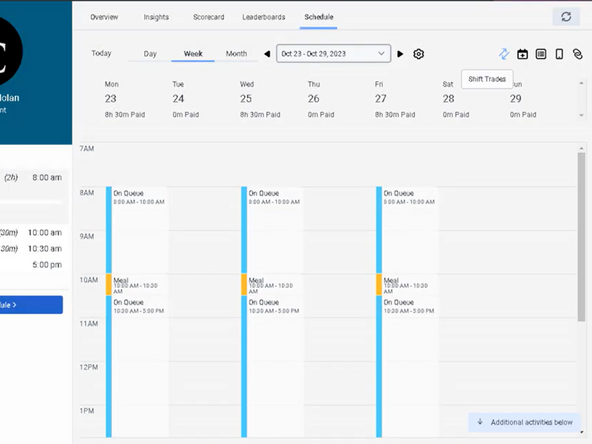
    • Click Shift Trades

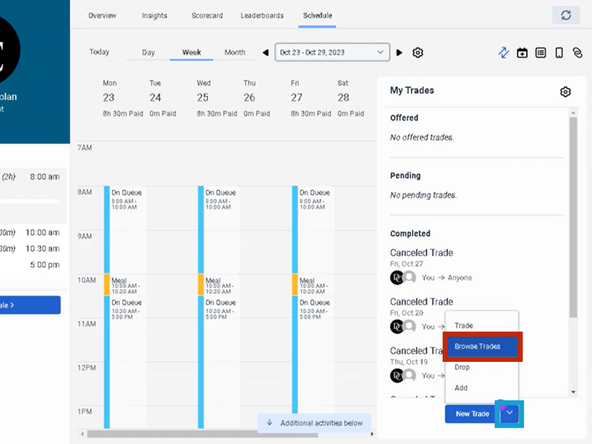
  2. To the right of the New Trade button:
    • To the right of the New Trade button:

    • Click the Down Arrow

    • Click Browse Trades

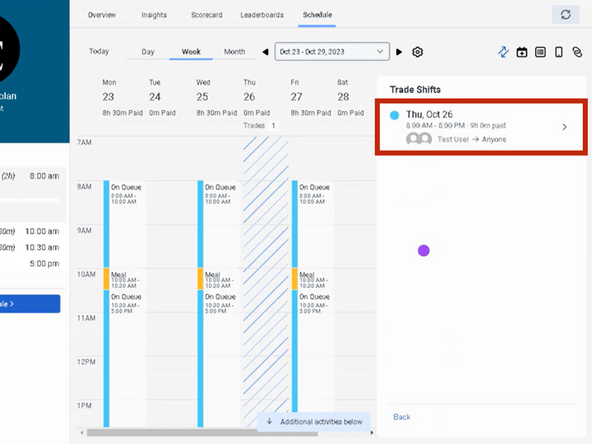
  3. Click the Shift you want to pick up
    • Click the Shift you want to pick up

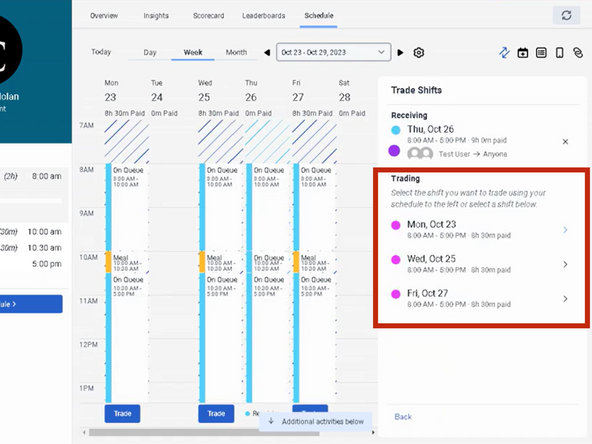
  4. Click the Shift to Trade
    • Click the Shift to Trade

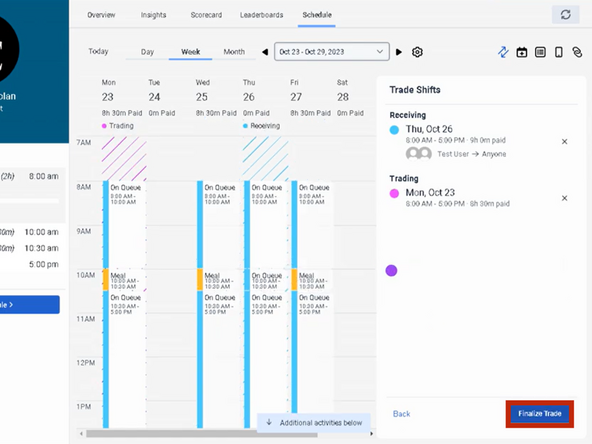
  5. To trade the shifts:
    • To trade the shifts:

    • Click Finalize Trade

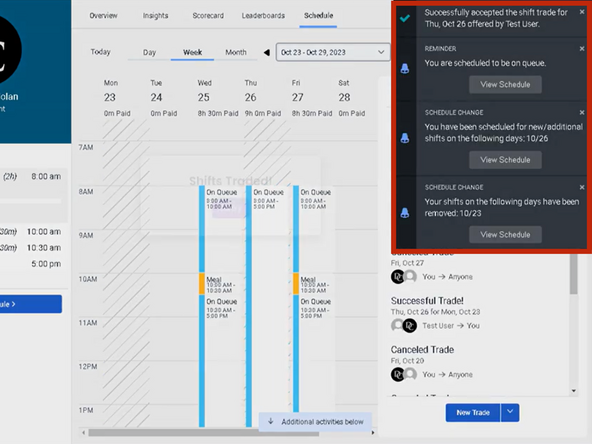
  6. You will receive notifications confirming the shift trades and changes to your schedule.
    • You will receive notifications confirming the shift trades and changes to your schedule.

Finish Line

Brendon Welch

Member since: 3/4/21

21,311 Reputation

304 Guides authored

0 Comments

Add Comment