Introduction
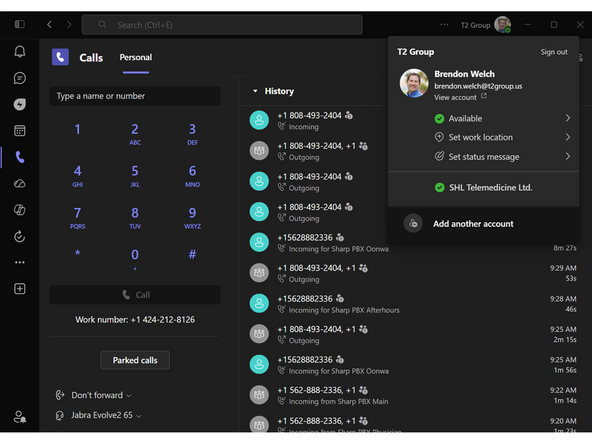
Calls are routed to agents based on who has been available the longest. Changing your Status to Away or Busy will prevent calls from ringing to your phone. This guide will show you how to manage your Status.
-
-
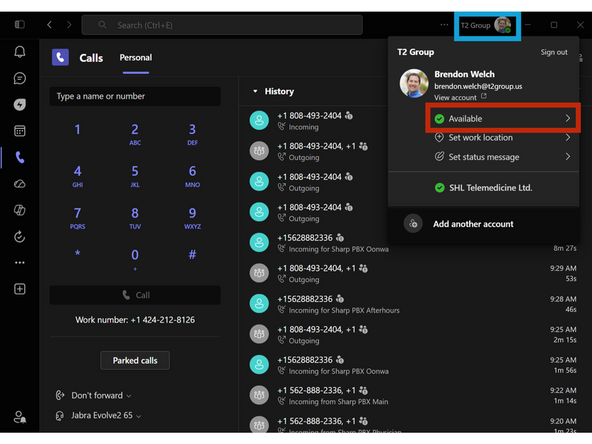
Click your Profile Image
-
Click your Status
-
-
-
To set your Status until you change it again:
-
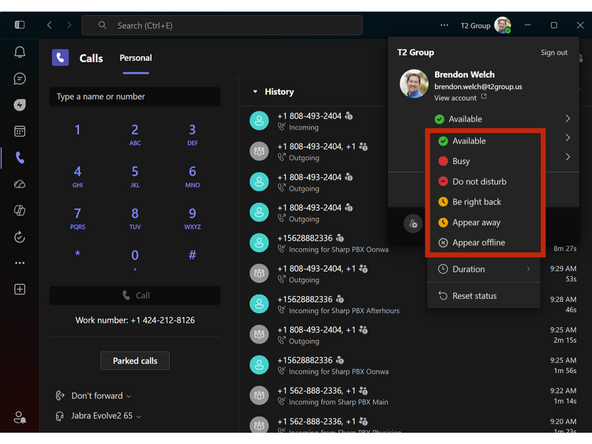
Select your Status
-
Available = Ready to receive calls
-
Busy = After Call Work - Tech Issue
-
Be right back / Appear away = Break or Lunch
-
Almost done!
Finish Line
