
-
-
While logged in to your T2 Dashboard:
-
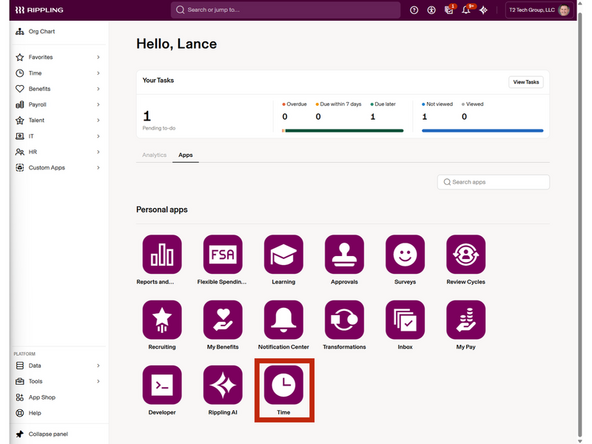
Click Rippling
-
-
-
Select Time
-
-
-
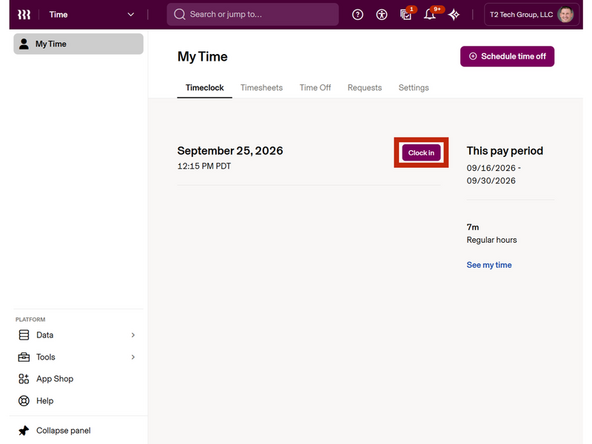
Click Clock In
-
-
-
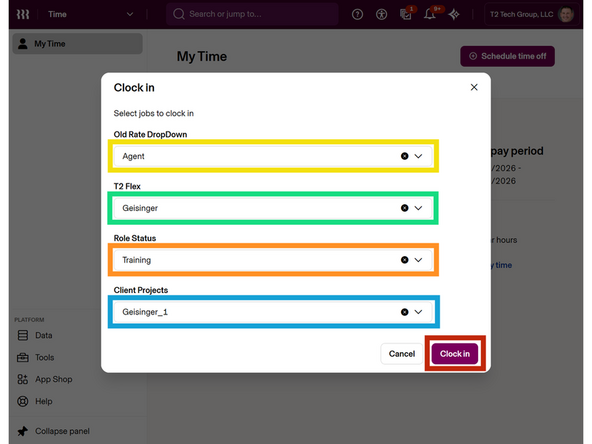
Old Rate Dropdown : Agent
-
T2 Flex : Geisinger
-
Role Status : Training
-
Client Projects : Geisinger_1
-
Click Clock In
-
-
-
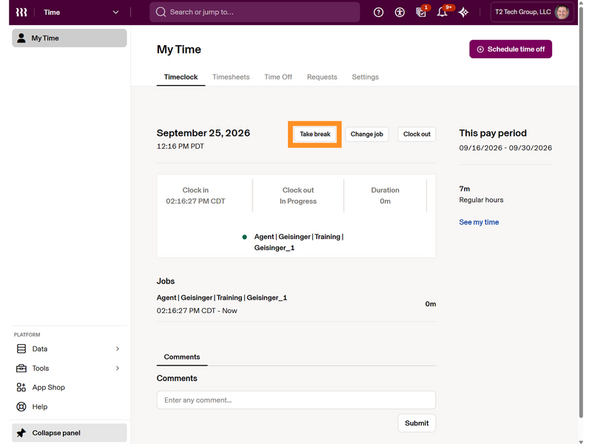
To take a Break or Lunch Break:
-
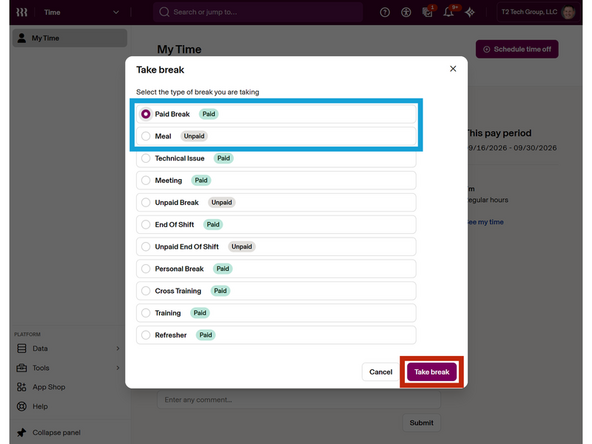
Click Take Break
-
Select the Type of Break
-
Click Take Break
-
-
-
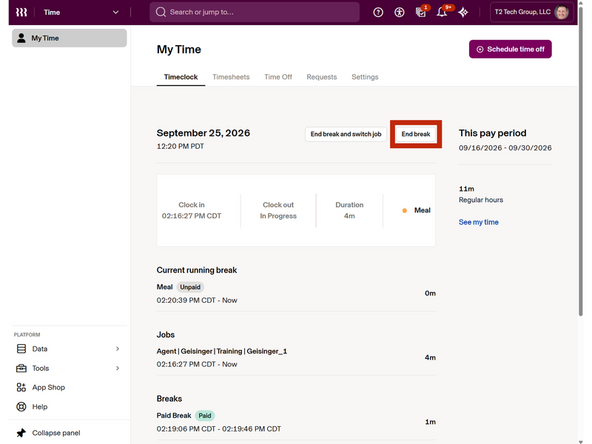
To end the break:
-
Click End Break
-
-
-
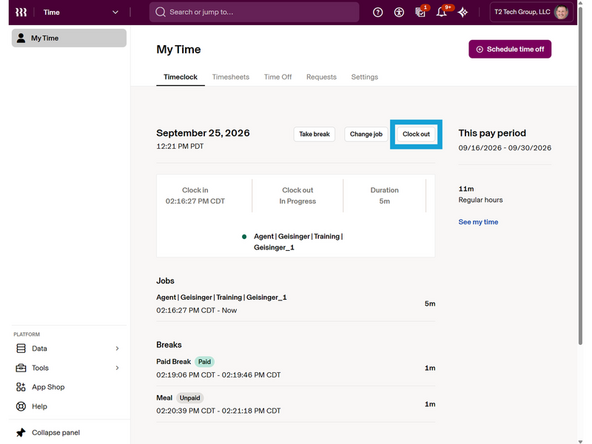
To end your shift and clock out:
-
Click Clock Out
-
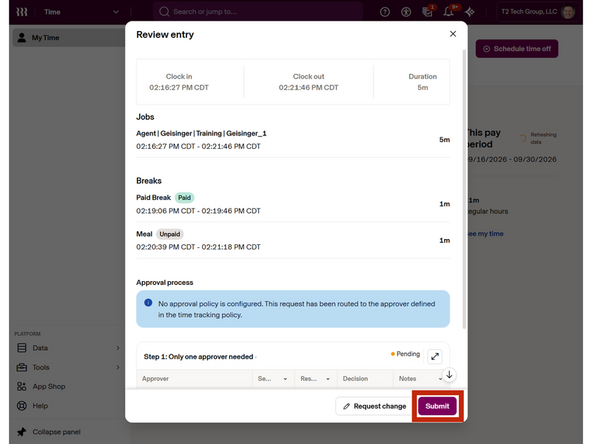
Review your time entry.
-
If your timesheet does not require any modifications:
-
Click Submit
-
Almost done!
Finish Line
