0.1

by Brendon Welch

  1. While viewing a patient's chart:
    • While viewing a patient's chart:

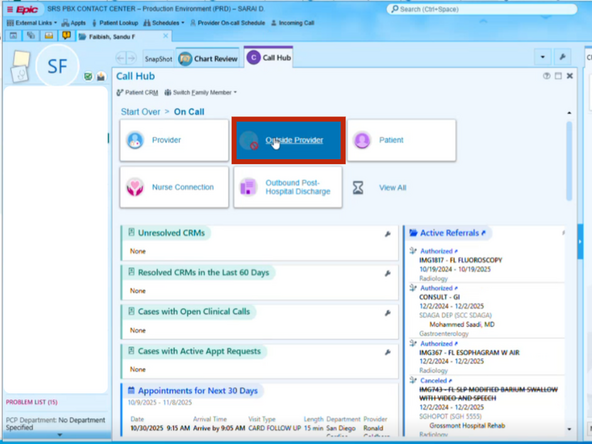
    • Click the Call Hub tab

    • Select On Call

  2. Click Outside Provider
    • Click Outside Provider

  3. Enter a summary of the interaction
    • Enter a summary of the interaction

    • Click Wrap Up CRM

  4. Resolve the CRM Click Resolve To close the CRM:
    • Resolve the CRM

    • Click Resolve

    • To close the CRM:

    • Click Close Hub

Finish Line

Brendon Welch

Member since: 3/4/21

21,311 Reputation

305 Guides authored

0 Comments

Add Comment