
-
-
To check a patient's coverage:
-
Click the Insurance field
-
If there is any current coverage it will be named, otherwise None will be displayed.
-
-
-
Any documented Primary Coverage will be shown
-
For more information about the documented coverage:
-
Click the Snapshot tab
-
-
-
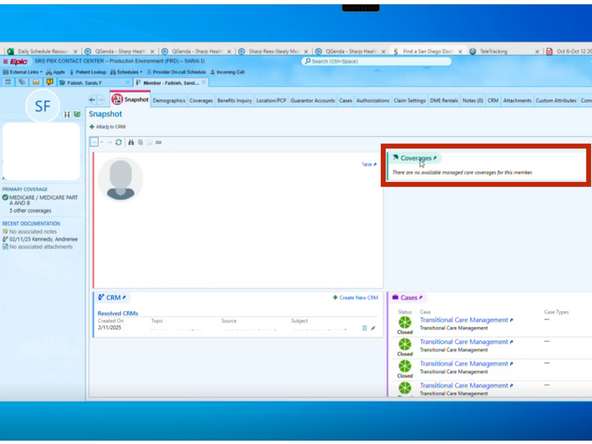
When a patient is not insured by Sharp Rees-Stealy:
-
There are no available managed care coverages for this member will be displayed
-
-
-
Sharp Rees-Stealy (SRS) will appear as the coverage in the patients chart if they are insured by Sharp.
-
SRS Medical Group
-
Coverage and Financial Info
-



Almost done!
Finish Line
