
Introduction
This guide will outline the steps to send a Secure Chat message in Epic.
-
-
Once the patient's chart loads:
-
Click the Secure Chat Tab
-
-
-
Select the With Staff tab
-
Click the New Chat button
-
-
-
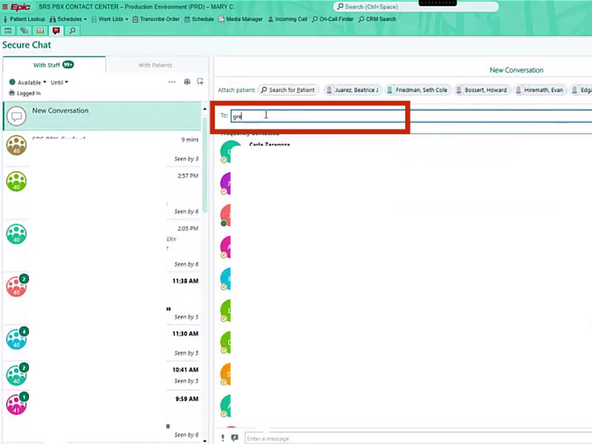
Enter the Doctor's name
-
-
-
Add SRS PBX
-
-
-
If you opened Secure Chat from a patient's chart, you can add them to the chat without needing to search.
-
Select the Patient
-
-
-
Type your message
-
Click Send
-




Almost done!
Finish Line
