-
-
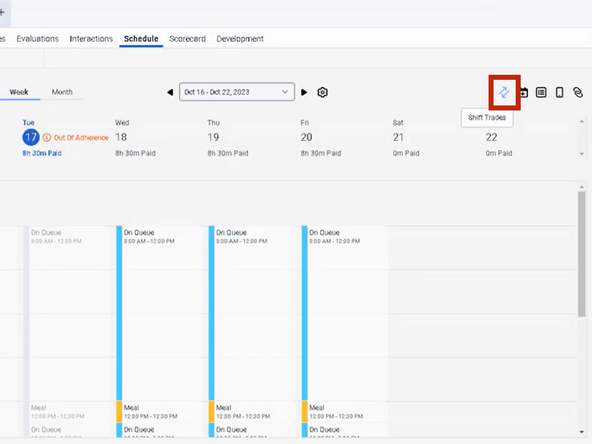
While viewing your Schedule:
-
Click Shift Trades
-
-
-
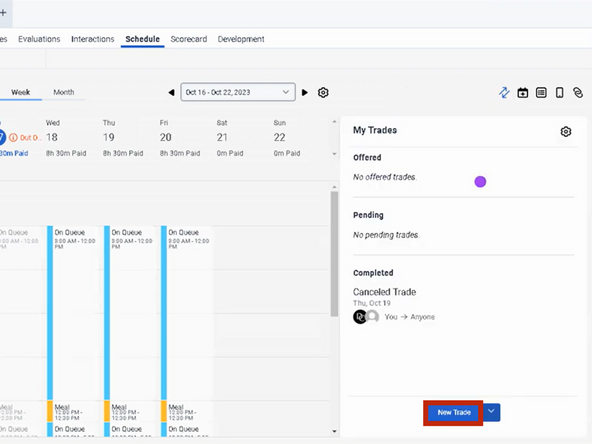
Click New Trade
-
-
-
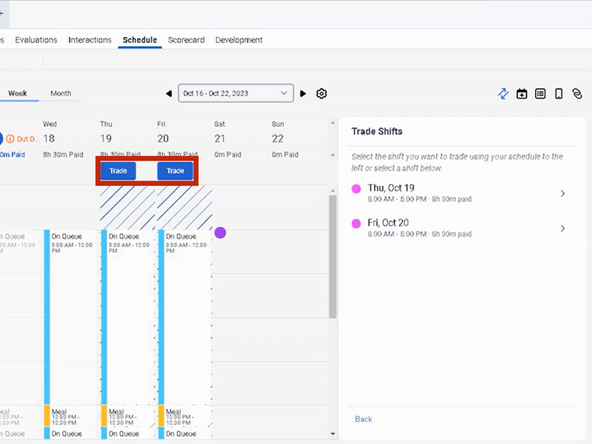
To select the shift you want to trade:
-
Click Trade
-
-
-
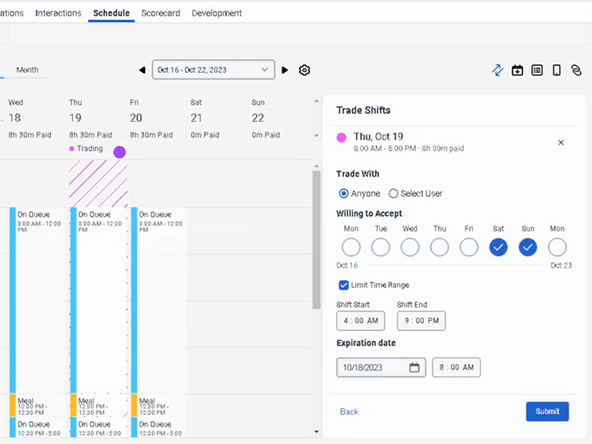
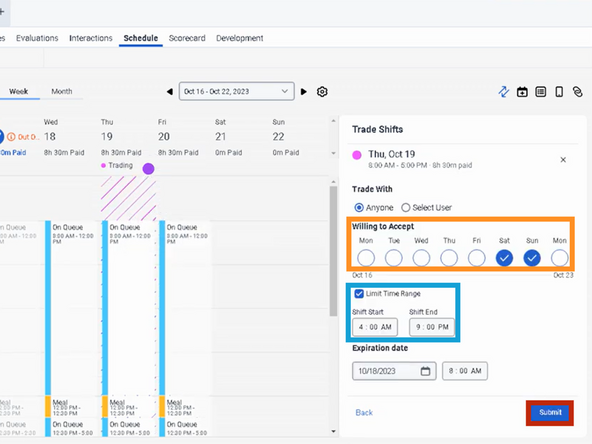
Select the days you are Willing to Accept
-
To specify the start and end times for an acceptable trade:
-
Check Limit Time Range
-
Use the up and down arrows under Shift Start and Shift End to adjust the start and end times.
-
Click Submit
-
-
-
A notification will appear confirming that you successfully added your shift trade.
-
-

Almost done!
Finish Line
