-
-
-
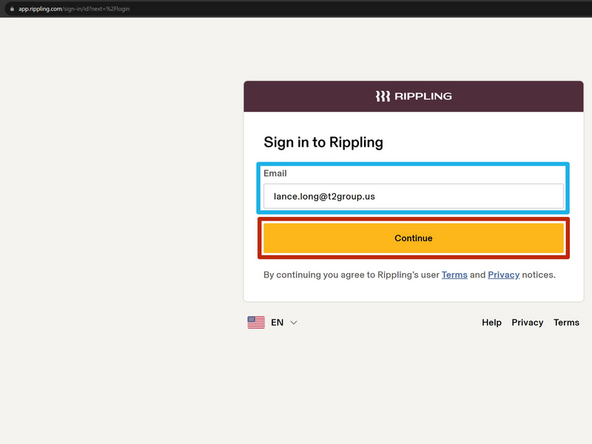
Enter your T2 Email Address
-
Click Continue
-
-
-
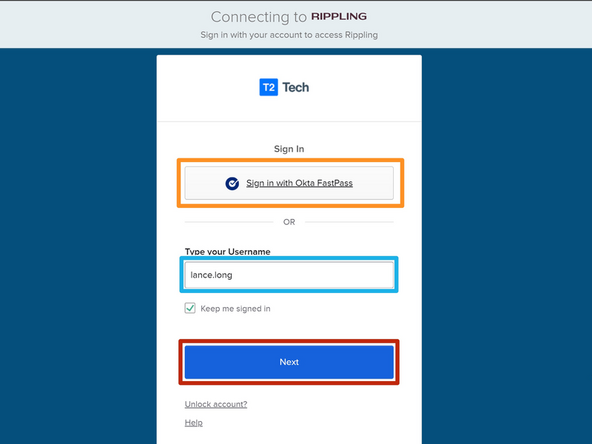
If you have enrolled in Okta FastPass and wish to login using Okta FastPass:
-
Click Sign in with Okta FastPass
-
To login without Okta FastPass:
-
Enter your T2 Username
-
Click Next
-
-
-
Skip this Step if you did not use Okta FastPass.
-
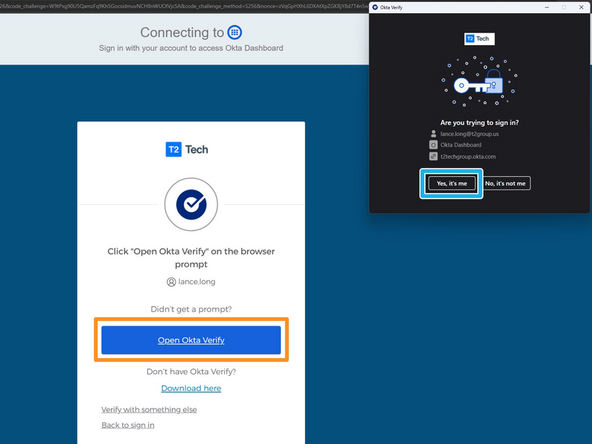
To manually launch Okta Verify:
-
Click Open Okta Verify
-
In the Okta Verify application:
-
Click Yes, it's me
-
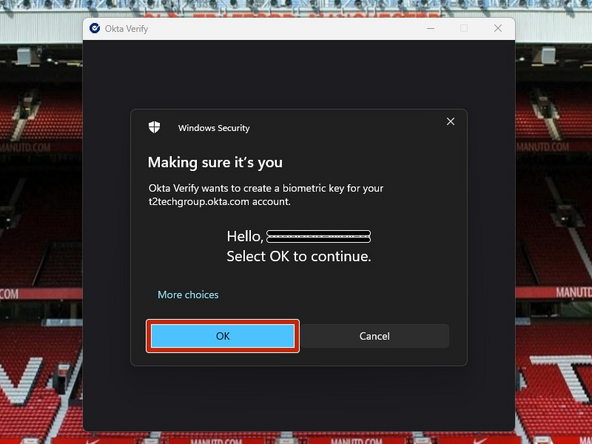
If you are using Windows Hello, once your identity is verified:
-
Click OK
-
-
-
Skip this Step if you signed in using Okta FastPass.
-
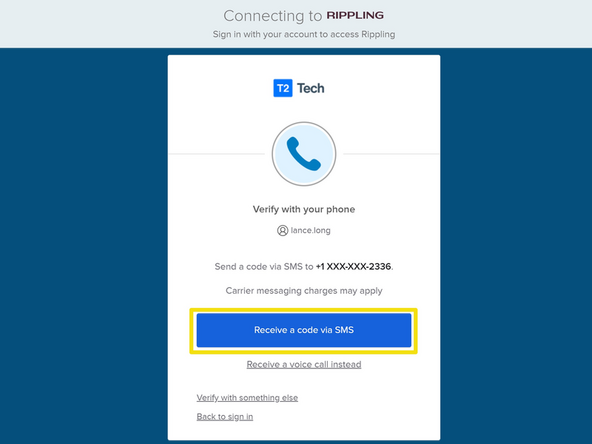
To verify your identity using your phone:
-
Click Receive a code via SMS
-
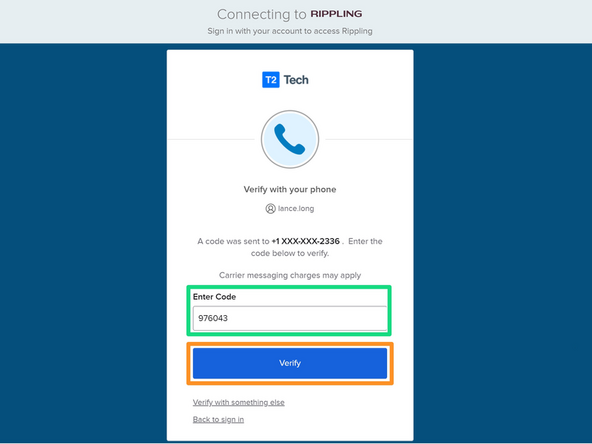
Enter the 6 Digit Code
-
Click Verify
-
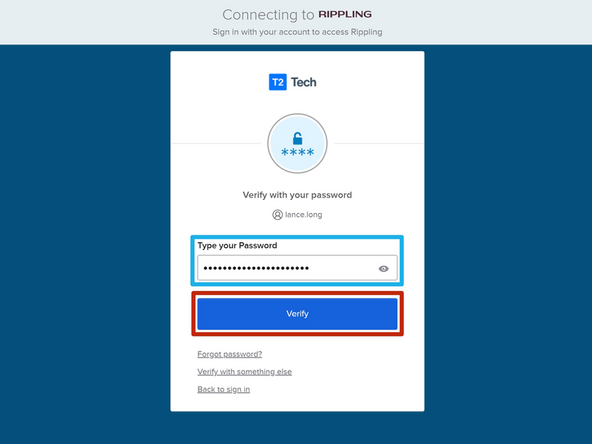
Enter your T2 Account Password
-
Click Verify
-
-
-
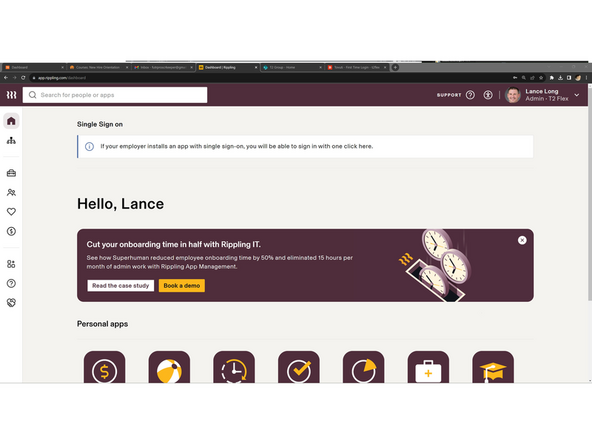
Your Rippling Dashboard will appear once you are signed in.
-
Almost done!
Finish Line
