-
-
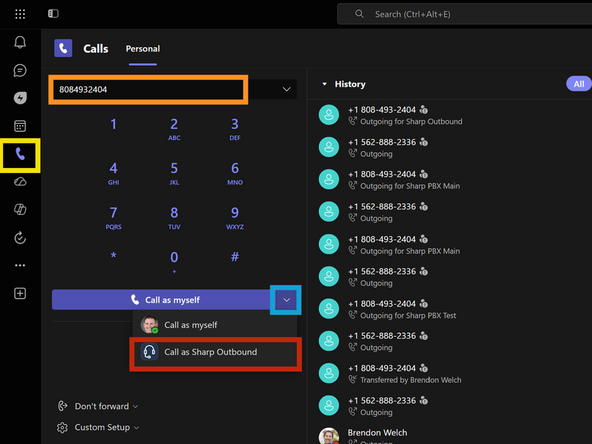
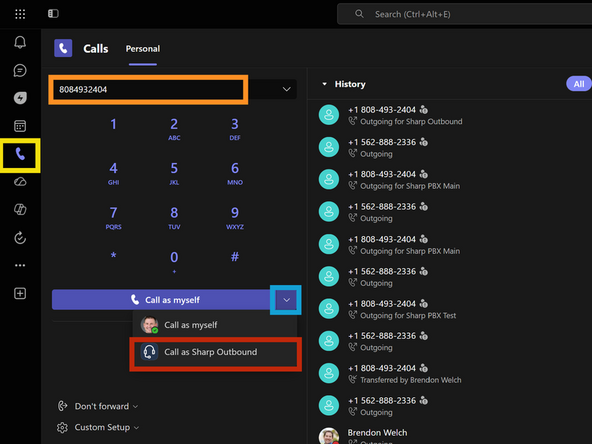
Go to the Calls tab
-
Type the 10 digit phone number
-
Click the Call As drop down
-
Click Call as Sharp Outbound
-
-
-
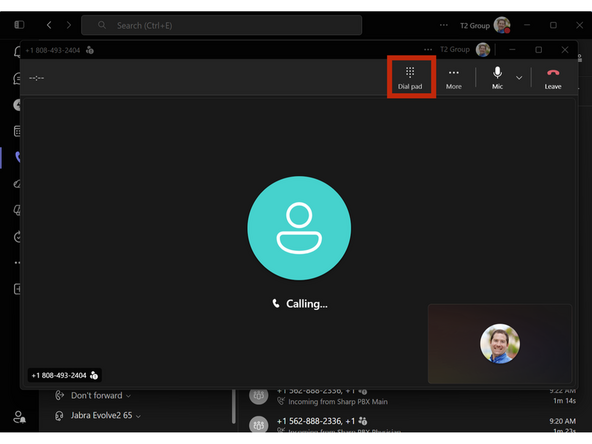
If you encounter an IVR or are required to enter an extension:
-
Use the Dial Pad
-
-
-
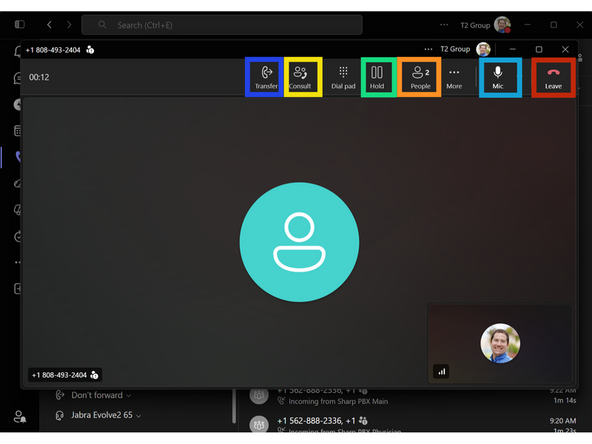
Call Control Legend:
-
Cold Transfer
-
-
Hold / Resume
-
Add / Remove People
-
Mute / Unmute
-
Leave
-
Almost done!
Finish Line
