-
-
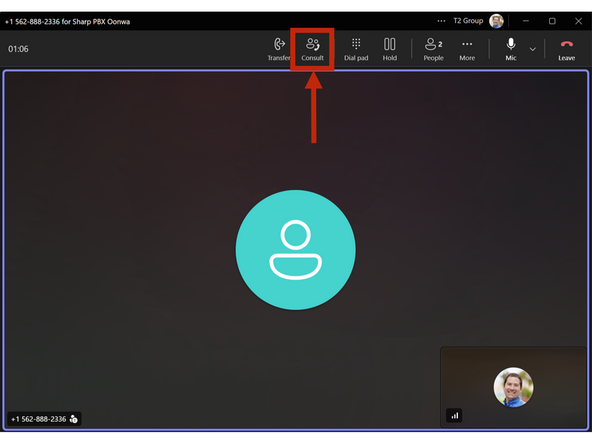
While on a phone call:
-
Click Consult
-
-
-
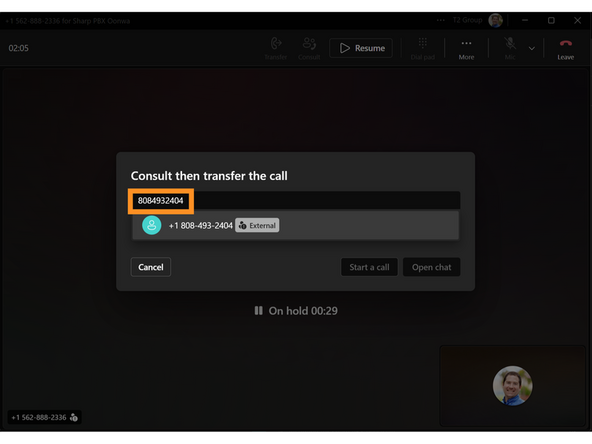
Type the Ten digit phone number
-
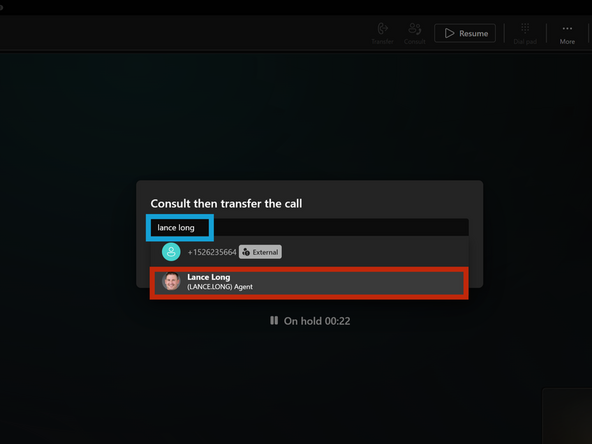
If you are attempting to transfer this call to another Agent:
-
Enter the Agent's Name
-
Select the Agent's Name
-
-
-
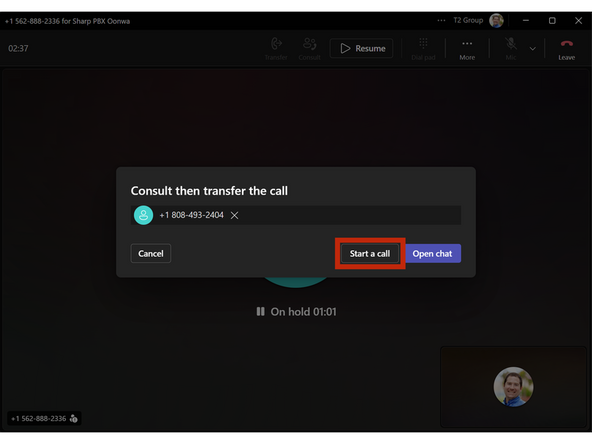
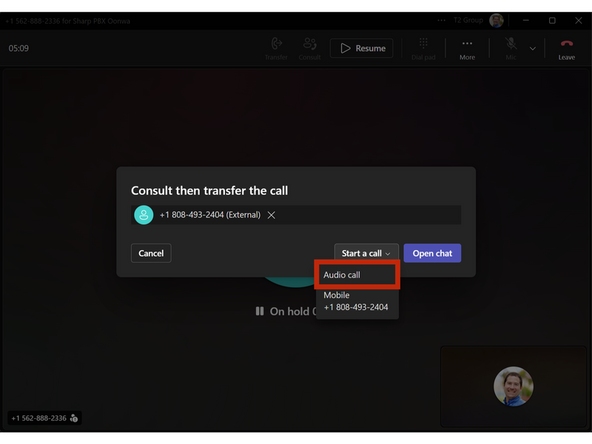
Click Start Call - Audio Call
-
-
-
To directly transfer without bringing the original call back on:
-
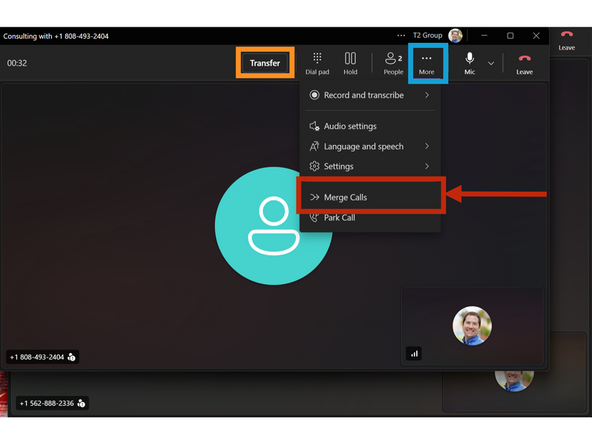
Click Transfer
-
To Merge the calls:
-
Click More
-
Click Merge Calls
-
-
-
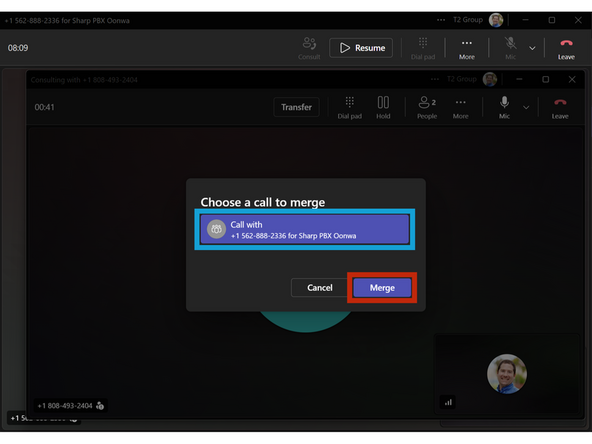
Ensure your Call is selected
-
Click Merge
-
-
-
When you are ready to leave the call:
-
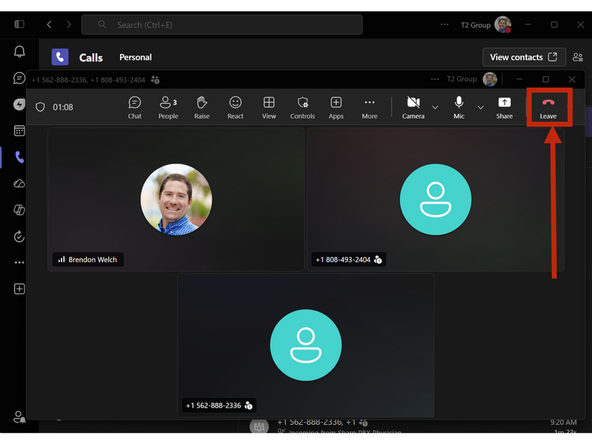
Click Leave
-
-
Almost done!
Finish Line
